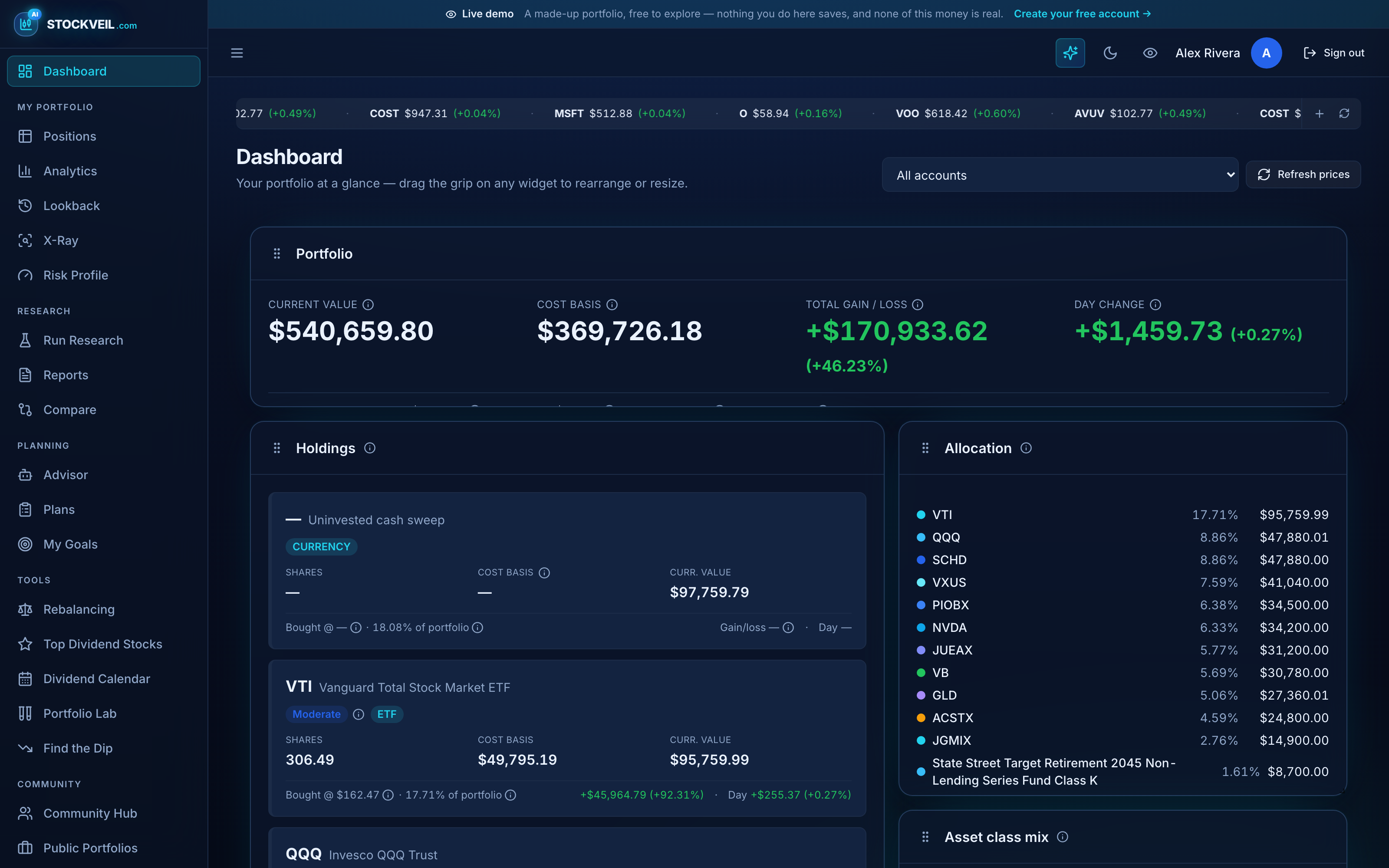
Every account, finally in one place
Brokerage, IRA, 401(k), savings — including the ones no app can sync. One total that is actually your total.
Free forever. No card, and no AI key required to look around.
How do I connect my accounts?
Link a brokerage through SnapTrade and Stockveil reads it — read-only, so nothing can place a trade or move money, and your brokerage password is never seen or stored.
- Read-only brokerage linking; positions, balances and cash sweep
- Manual accounts for anything that cannot be synced
- CSV import from Fidelity, Schwab and ADP exports
- Screenshot import — your own AI reads a statement you cannot export
What about my workplace 401(k)?
This is the gap most trackers leave open, and the one we built for. Workplace plans hold collective investment trusts that have a CUSIP and a name but no public ticker, so tools that key off tickers quietly drop them and under-report your balance.
- Symbol-less funds are stored, named and counted
- Where a fund has no public symbol, we label the proxy rather than pretend
- Match capture reported as dollars per year you are leaving behind
Can I keep portfolios separate?
Yes. Every page can be scoped to one account or to everything at once, and each account carries its own target mix, risk profile and purpose — so a house fund and a retirement account are never judged by the same yardstick.
Are the numbers actually right?
The account tile and the portfolio total are computed from the same figures, so they cannot disagree. Where history is reconstructed rather than recorded, the page says so instead of drawing a confident line.
Keep looking
Fund X-Ray
Three funds, one hidden concentration. The X-Ray unpacks every fund you hold into the companies underneath and adds up what you really own.
AI research
Every report is scored by four opposed investing philosophies, then argued over by a bull and a bear. You bring the AI key; we make sure the numbers are ours.
Projections
What your portfolio could be worth in 1 to 30 years, built by replaying real market history — and labelled a simulation, because that is what it is.
Tools
Where should this month’s deposit go? Would that allocation have survived 2008? When does the dividend actually land?
Ready to see your own portfolio this way?
Connect an account, import a statement, or just open the demo and click around first.